Whether you're a remote worker juggling multiple devices, a creative professional demanding precision, or simply someone who values a clean, cable-free desk, a great Bluetooth mouse can transform your daily workflow. We've tested dozens of wireless mice over the past year to bring you the seven best options for 2026 — covering every budget and use case from ultra-portable travel companions to full-size ergonomic powerhouses.
Below is a quick comparison table of our top picks:
| Product | Best For | Key Feature | Price Range |
|---|---|---|---|
| Logitech MX Master 4 | Overall Productivity | Action Rings + Haptic Touchpad | $$$ |
| Logitech MX Master 3S | Value Pick | MagSpeed Scroll + Silent Clicks | $$ |
| Logitech MX Anywhere 3S | Travel & Portability | Compact + 8000 DPI Darkfield | $$ |
| Razer Basilisk Mobile | Work + Gaming Hybrid | 18,000 DPI + 10 Buttons | $$ |
| Razer Pro Click V2 | Large Hands / Ergonomics | 30,000 DPI + Glass Tracking | $$$ |
| Razer Pro Click Mini | Quiet Office Use | Silent Buttons + Dual Wireless | $$ |
| Apple Magic Mouse | macOS Gesture Lovers | Multi-Touch Surface | $$ |
1. Logitech MX Master 4 — Best Overall Productivity Mouse
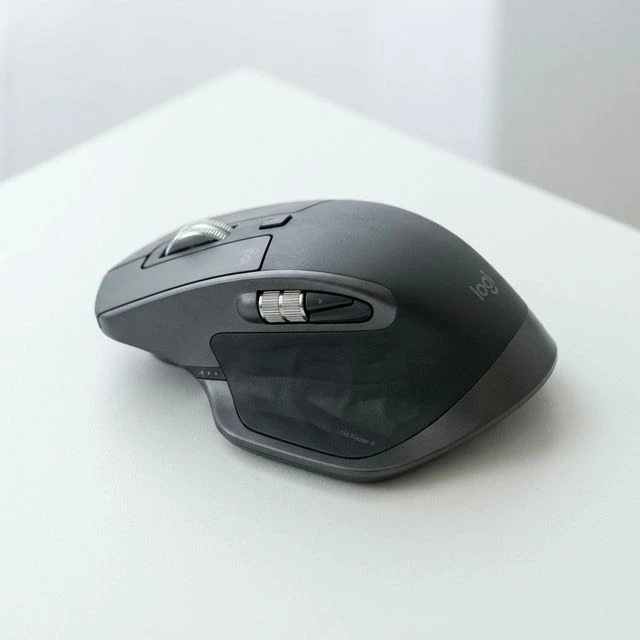
The MX Master 4 is the undisputed king of productivity mice in 2026. Logitech has refined an already legendary design with revolutionary new features that make switching between apps, workflows, and even devices feel effortless.
The standout addition is Action Rings — a control-ring touchpad on the thumb area with haptic feedback that lets you create customizable shortcuts for any application. Combined with the upgraded 8,000 DPI sensor that works on virtually any surface including glass, this mouse handles everything from precise photo editing to rapid spreadsheet navigation.
Battery life reaches an impressive 70 days on a single charge, and a quick 1-minute charge gives you 3 hours of use. The USB-C port charges fast and doubles as a wired connection.
✅ What We Liked
- Action Rings with haptic feedback revolutionize workflow shortcuts
- 70-day battery life with ultra-fast USB-C charging
- 8,000 DPI sensor tracks on glass and any surface
- Seamless multi-device switching (up to 3 devices)
- Premium build quality with comfortable thumb rest
❌ Cons:
- Premium price point ($120+)
- Right-hand only design — no left-hand version
- Heavier than some alternatives (145g)
2. Logitech MX Master 3S — Best Value Productivity Mouse
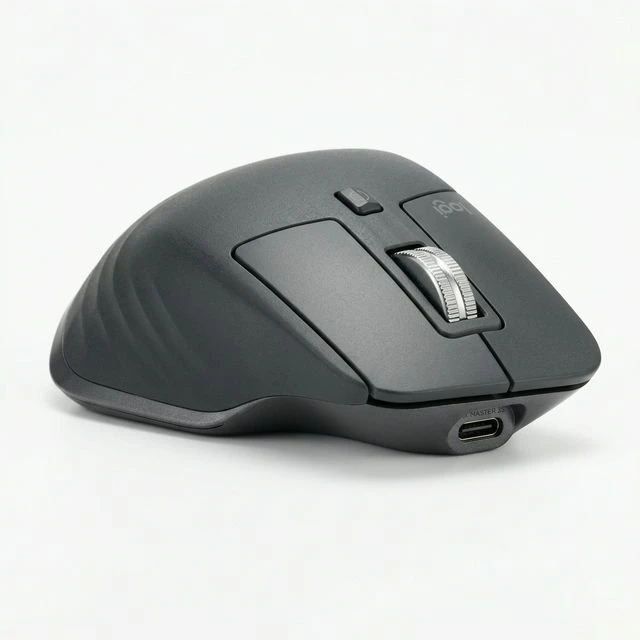
With the MX Master 4's release, the MX Master 3S has dropped significantly in price — making it one of the best value propositions in wireless mice today. You still get 90% of the premium experience at roughly 60% of the cost.
The MagSpeed electromagnetic scroll wheel remains best-in-class, switching between precise ratchet mode and ultra-fast free-spin with a single finger press. Silent click switches produce 90% less noise than the MX Master 3, making it ideal for shared offices or late-night work sessions.
The 8,000 DPI Darkfield sensor works on glass, and the ergonomic sculpted shape with silicone thumb rest provides all-day comfort. Battery life stretches to 70 days, identical to its successor.
✅ What We Liked
- Incredible value since MX Master 4 launch (often under $80)
- MagSpeed scroll wheel is still industry-leading
- Silent click switches — perfect for quiet environments
- Same 70-day battery and USB-C as MX Master 4
❌ Cons:
- No Action Rings (MX Master 4 exclusive feature)
- Older design language, though still comfortable
3. Logitech MX Anywhere 3S — Best Travel Mouse
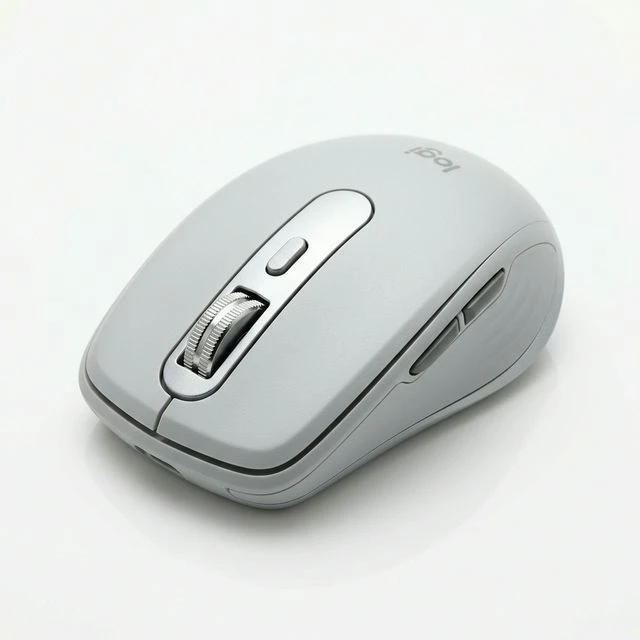
If portability is your priority, the MX Anywhere 3S packs MX Master-level technology into a pocket-sized form factor. At just 99g, it slips into any laptop bag and works beautifully from coffee shops to airplane tray tables.
Despite its compact size, you get the same 8,000 DPI Darkfield tracking and MagSpeed scroll wheel found in its larger siblings. Quiet clicks keep noise to a minimum in public spaces, and the 70-day battery life means you can leave the charger at home for most trips.
✅ What We Liked
- Ultra-portable at 99g — fits in any pocket or bag
- Full MagSpeed scroll wheel despite compact size
- Works on any surface including glass (coffee table friendly)
- 70-day battery life — travel without a charger
❌ Cons:
- Small size may cause fatigue during extended desktop use
- Fewer buttons than full-size MX Master
4. Razer Basilisk Mobile — Best Work + Gaming Hybrid
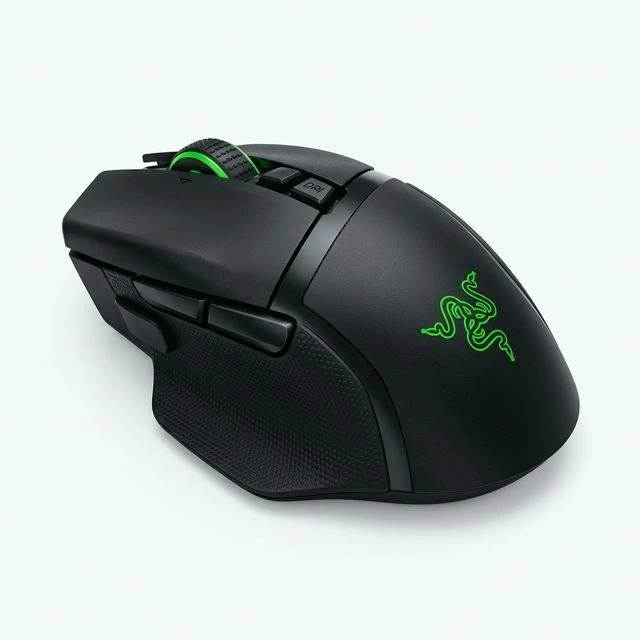
For those who need a mouse that transitions seamlessly between spreadsheets and gaming sessions, the Razer Basilisk Mobile delivers. Its 18,000 DPI optical sensor provides gaming-grade precision, while the comfortable ergonomic shape works great for long productivity sessions.
With 10 programmable buttons and Razer Synapse software, you can create separate profiles for work and play. The mouse connects via Bluetooth 5.0 for everyday use and includes a 2.4GHz dongle for lag-free gaming.
✅ What We Liked
- Dual wireless modes — Bluetooth for work, 2.4GHz for gaming
- 18,000 DPI sensor with adjustable precision
- 10 programmable buttons with per-app profiles
- Comfortable for both claw and palm grip styles
❌ Cons:
- RGB adds weight and reduces battery life
- Razer Synapse software can be resource-heavy
- Not as quiet as Logitech's silent click options
5. Razer Pro Click V2 — Best for Large Hands
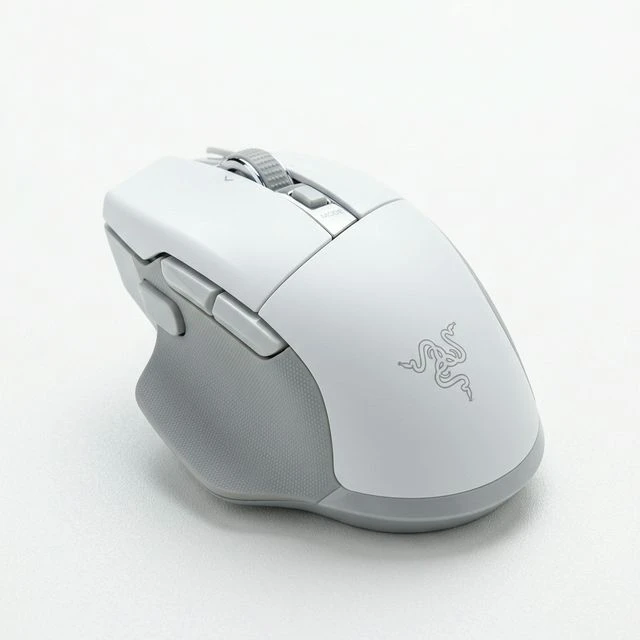
Razer's Pro Click V2 is designed for professionals who need maximum comfort and precision. The extended thumb support provides excellent ergonomic positioning for large hands, and the 30,000 DPI sensor works on glass surfaces — no mousepad required.
The dual-mode scroll wheel (tactile ratchet and free-spin) rivals Logitech's MagSpeed, while the quiet mechanical switches ensure a professional sound profile. Multi-device pairing supports up to 4 Bluetooth connections.
✅ What We Liked
- Extended thumb rest — excellent for large hands
- 30,000 DPI sensor tracks even on glass
- Up to 4 Bluetooth device pairings
- Dual-mode scroll wheel matches Logitech quality
❌ Cons:
- Heavier than competitors at 160g
- White color shows dirt over time
6. Razer Pro Click Mini — Best Quiet Office Mouse
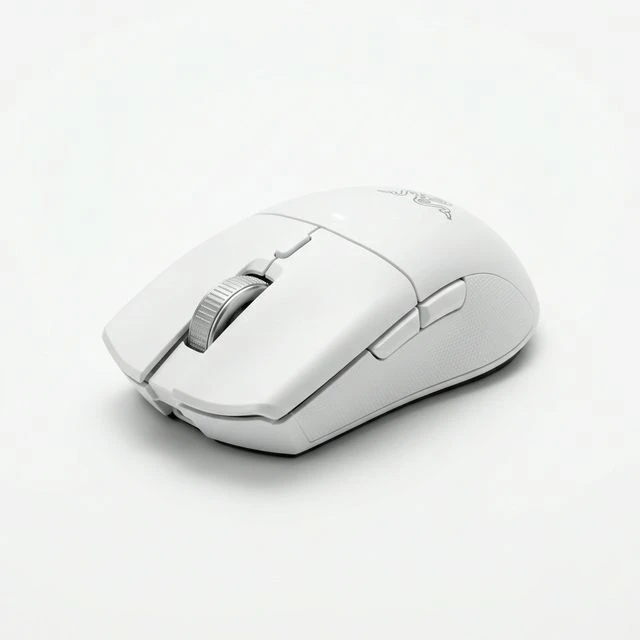
The Pro Click Mini takes Razer's professional line and shrinks it into a travel-friendly, ambidextrous package. Its silent mechanical switches are the quietest we've tested — perfect for open offices, libraries, and shared workspaces.
At 12,000 DPI with Bluetooth and 2.4GHz dual wireless, it covers productivity needs well. The compact symmetrical design works equally well for left and right-handed users, making it one of the few premium ambidextrous Bluetooth mice available.
✅ What We Liked
- Quietest mechanical switches in any premium mouse
- Ambidextrous design — works for left-handers too
- Compact and lightweight for travel
- Dual wireless with low-latency 2.4GHz mode
❌ Cons:
- 12,000 DPI max — lower than full-size Razer mice
- No thumb rest due to symmetrical design
7. Apple Magic Mouse (USB-C) — Best for macOS Gestures
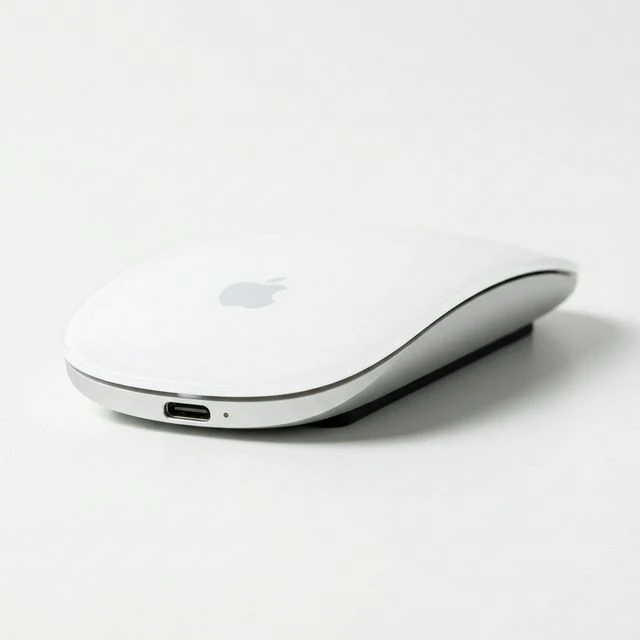
The Apple Magic Mouse remains a polarizing choice. Its multi-touch glass surface enables macOS gestures that no other mouse can replicate — two-finger swipes for Mission Control, scrolling, and page navigation feel natural and intuitive for Mac users.
The iconic ultra-slim design looks stunning on any desk, and the updated USB-C model finally moves away from Lightning. However, the notorious bottom-charging port means you still can't use it while charging.
✅ What We Liked
- Multi-touch gestures are unique to Magic Mouse
- Ultra-slim, iconic design — beautiful desk aesthetic
- USB-C charging (finally)
- Seamless macOS and iPadOS integration
❌ Cons:
- Charging port on the bottom — unusable while charging
- Poor ergonomics for extended use — low profile causes wrist fatigue
- No programmable buttons or DPI adjustment
- Overpriced for the feature set
Buying Guide: How to Choose the Right Bluetooth Mouse
Selecting the perfect Bluetooth mouse depends on several key factors:
Ergonomics and Hand Size
If you use a mouse for more than 4 hours daily, ergonomics should be your top priority. Full-size mice like the MX Master 4 and Razer Pro Click V2 provide the best support for medium-to-large hands. For smaller hands or travel, the MX Anywhere 3S and Pro Click Mini offer comfort in compact packages.
Sensor and DPI
For general office work, anything above 4,000 DPI is sufficient. Creative professionals editing photos or videos benefit from 8,000+ DPI sensors. If you also game, look for 18,000+ DPI with adjustable settings.
Multi-Device Support
Most premium Bluetooth mice support switching between 2-4 devices. This is essential for users with a work laptop and personal computer. Logitech's Easy-Switch and Razer's multi-device pairing both work reliably.
Battery Life
Modern Bluetooth mice have largely solved the battery problem. Expect 70+ days from Logitech's lineup and 100+ hours from Razer's options. Quick charge features (1-minute charge for 3 hours) ensure you're never stuck without a mouse.
Frequently Asked Questions
Is Bluetooth or 2.4GHz wireless better for a mouse?
Bluetooth is better for portability and multi-device use since it doesn't require a USB dongle. However, 2.4GHz provides lower latency, making it preferable for gaming. Many premium mice like the Razer Basilisk offer both options.
Do Bluetooth mice work on glass surfaces?
Most premium Bluetooth mice with Darkfield or high-DPI sensors work on glass. The Logitech MX Master series and Razer Pro Click V2 are specifically designed for glass tracking. Budget mice typically cannot track on glass.
How long do Bluetooth mice batteries last?
Modern rechargeable Bluetooth mice last 2-3 months on a single charge. The Logitech MX Master series leads with 70 days, while mice with RGB lighting last shorter (1-2 weeks with lights on).
Can I use a Bluetooth mouse with an iPad or tablet?
Yes, all mice listed here work with iPadOS and Android tablets via Bluetooth. The Apple Magic Mouse offers the best iPad integration with gesture support, but any Bluetooth mouse will provide basic cursor control.